ForceTriad accessories: REM pads, pencils and footswitches
A compatibility verification guide for OR supply teams and biomedical staff buying accessories for a Valleylab ForceTriad generator, current as of September 2026. It is not clinical guidance, and it gives no internal repair…
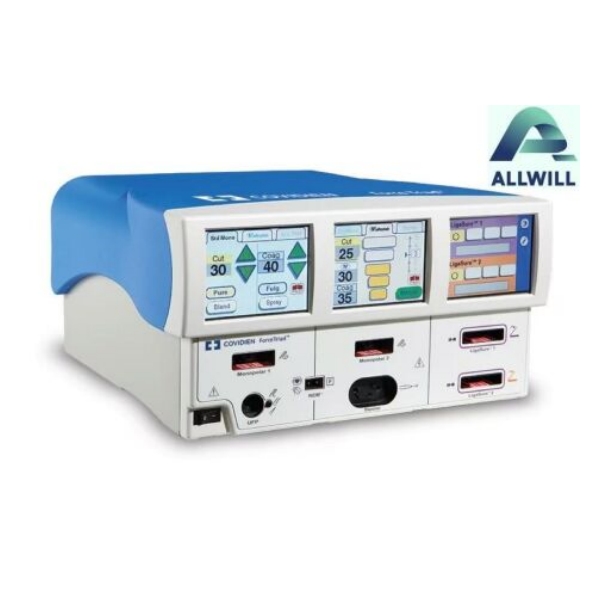
A compatibility verification guide for OR supply teams and biomedical staff buying accessories for a Valleylab ForceTriad generator, current as of September 2026. It is not clinical guidance, and it gives no internal repair instructions.
An electrosurgical generator is only as capable as the accessories connected to it. The same console can be configured for procedures it was never set up for, or left unable to perform ones it was, purely by the pads, pencils and footswitches that sit in the cupboard. Compatibility is therefore a purchasing question before it is a technical one.
How accessories talk to the generator
Accessories connect to the generator through defined ports, and each port expects a particular accessory type with its own connector. Two consequences follow for buyers. First, the generator’s accessory list ¡ª not the appearance of the connector ¡ª is the authority on what fits. Second, an accessory that physically connects may still be outside the configuration the generator was set up for, which matters for both performance and documentation.
The practical approach is to treat the generator’s own documentation and its accessory list as the specification, and to verify each item against the exact model and software version you operate.
REM return electrodes
Why the return electrode matters
Monopolar electrosurgery completes a circuit through a patient return electrode, and the generator’s return-electrode monitoring is what watches the quality of that circuit during use. The technology exists because the return path is the part of the circuit nobody is looking at during a procedure: if contact degrades, the risk is not on the instrument the surgeon is watching.
Verifying compatibility
- Confirm the pad type the generator’s monitoring expects, not just the pad’s physical size.
- Check that the connector matches the generator’s return-electrode port.
- Confirm the accessory is listed for your generator model and software version.
- Keep the part number and lot for every pad used, so a charge or an investigation can be traced back.
Do not assume that a pad which fits will be recognized correctly, and do not assume cross-model fit from a similar appearance. Pad compatibility is model-specific, and the generator’s monitoring behaviour depends on it.
Pencils and hand controls
| Item | What to verify | What to record |
|---|---|---|
| Monopolar pencil | Connector type, hand or foot activation, and whether it is listed for the generator | Part number, quantity, and whether it is reusable or single-use |
| Bipolar forceps and cables | Connector pairing with the generator’s bipolar port | Part number and cable pairing |
| Instrument leads and adaptors | That any adaptor is the one specified for this generator, not a general-purpose substitution | Adaptor part number and configuration |
The recurring failure here is the adaptor. A chain of adaptors may connect, but each joint adds a failure point and none of them are covered by the generator’s compatibility list unless they appear on it. Where a listing includes adaptors, ask which items they replace and why they were needed.
Footswitches
Footswitches are chosen by function rather than by appearance: which outputs they control, how many pedals, and whether the generator expects a single or dual switch. Verify the switch against the generator’s accessory list and against the functions your procedures use, then check the cable and connector for damage ¡ª footswitches live on the floor, and their cables take the wear.
Storage, damage and replacement
Accessories fail in storage as often as in use, and the failures are usually preventable. Return electrodes have shelf lives and storage conditions on their labeling; cables fail at the strain relief where they are coiled and hung; footswitches accumulate floor damage that is invisible until a case is underway. A stock routine that checks these items periodically costs minutes and removes a category of avoidable interruption from the operating list.
Design the replacement logic at the same time. For each accessory function, decide what is kept in reserve and what triggers a replacement order ¡ª a damaged cable, a pad box approaching its expiry, a footswitch whose cable has been repaired once. Where a function has only one working accessory, the reserve decision is not a stock decision but a continuity decision, and it belongs in the same conversation as the generator’s own backup plan.
Two records make this work over time. Keep the part numbers of the accessories currently in use with the generator’s file, so a replacement can be ordered without re-deriving the specification. And record the date each reusable accessory entered service, so that a pattern of failures in one cable or one switch is visible rather than anecdotal.
Building a used-accessory verification list
- Identify the exact generator model, serial and software version.
- List the accessories required for your procedures, by function rather than by description.
- Confirm each item against the generator’s accessory list for that version.
- Record part numbers, quantities and whether each item is single-use or reusable.
- Inspect connectors, cables and reusable items for damage before acceptance.
- For single-use items, check packaging integrity, lot and expiry.
- Test the configuration on the generator before the accessories enter routine stock.
- File the verification with the purchase, not with the consumable store.
Questions buyers ask
Can we use a third-party pad on a ForceTriad?
Only if the generator’s documentation supports it. The monitoring technology depends on the return electrode meeting defined characteristics, so compatibility is a documented property rather than a physical one.
Do we need to replace footswitches when we change generators?
Check the accessory list for the new generator before assuming. Some switches carry over; others do not, and the difference is usually visible in the connector and in the functions the switch controls.
What is the most useful thing to record?
The generator’s model, serial and software version at the time the accessories were verified. Without it, a compatibility decision cannot be reconstructed later.
Verify accessories against the generator’s own list, and record what you verified. If you are sourcing accessories or a generator and want the documentation that travels with them, ask HHG for the records on a specific item, or review the current ForceTriad listing. Related reading: electrosurgical generator safety and leakage protection.